TryHackMe - Linux Fundamentals
Created: 2022-04-26
Tags: #fleeting
~ is the home directory
/ is the root directory, Root Directory is the GOD of all folders
history to view the previously used commands
Give execute permisstion to a file
chmod +x /path/to/yourscript.sh
Make multiple directories at one command
mkdir -p lua/{settings, mappings}
mkdir -p Music/{Jazz/Blues,Folk,Rock/{Gothic,Punk,Progressive},Classical}
Output
Music/
|-- Classical
|-- Folk
|-- Jazz
| `-- Blues
`-- Rock
|-- Gothic
|-- Progressive
`-- Punk
Auto mount disk at boot
/dev/sb1
https://techhut.tv/auto-mount-drives-in-linux-fstab/
Error
libglib2.0-0:i386 depends on libc6 (>= 2.34); however: Package libc6:i386 is not configured yet.
sudo dpkg --configure -a
then just have apt do a fix broken:
sudo apt --fix-broken install
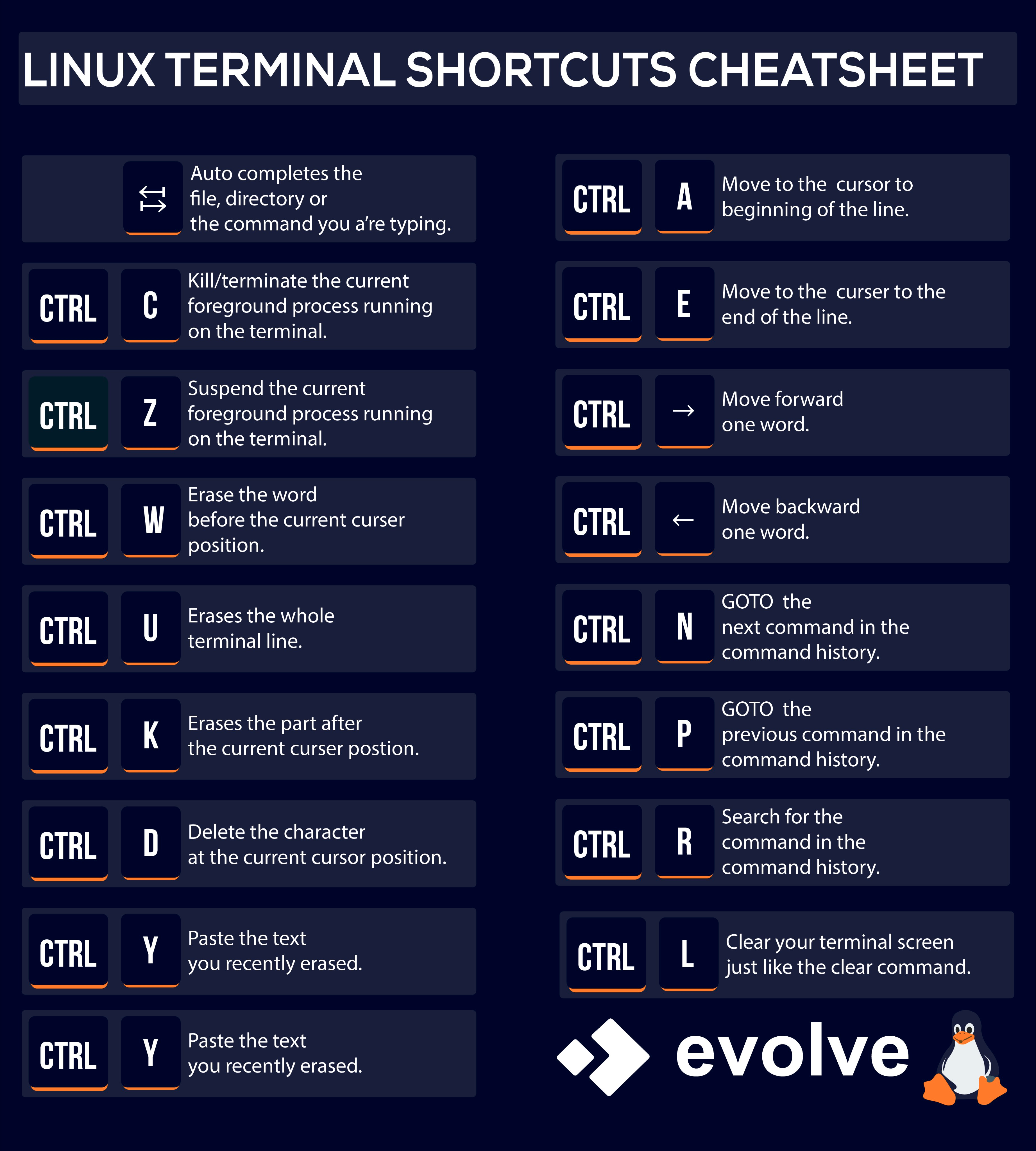
Linux Terminal Shortcuts
Ctrl + c ->
Ctrl + z -> Suspend the current foreground process
Put the results of a command to a file
command > output.txt
You don't have to use ls when going to a directory
simply use cd ~/ and press tab. It will show you the directories
type <command> to know more about the command or its directory
Using Linux Terminal
Specific Linux Commands
Windows System Apps and their respective linux alternative
wget
Allows us to download files from the web via HTTP
The Operating System (OS) uses namespaces to ultimately split up the resources available on the computer to (such as CPU, RAM and priority) processes. Namespaces are great for security as it is a way of isolating processes from another -- only those that are in the same namespace will be able to see each other.
systemctl <option> <service>
This command allows us to interact with the systemd process/daemon. Basically doing some things with the boot-up system
The flags of systemctl
<option> like
Start,
Stop,
Enable, - start the same service on the boot-up of the system
Disable
<service> for instance, apache2
ls switches
ls -t : sorted result by modification time
ls -S : sort by file size
https://stackoverflow.com/questions/53343801/how-do-i-get-the-man-command
apt update to update the local package lists followed by apt install man-db to install the actual package.
https://averagelinuxuser.com/how-to-install-and-use-ssh-on-linux/#configure-ssh-on-a-local-computer
Install SSH on computer
You can see the bad login attempts to your Linux system with: lastb The command just reads data from /var/log/btmp and displays it in a pretty format.
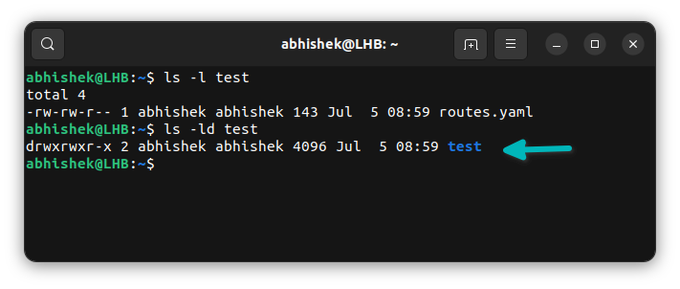
Want to see the file permission on a directory in Linux? Using ls -l won't work as it shows the content of directory. To see the file permissions of directory, use: ls -ld With the d option, it lists the directory, not its content.